
• Skip to primary navigation
  • Skip to main content
  • Skip to primary sidebar
Printerpix Blog

Printerpix Blog

Photo Gifts & Ideas

  • Shop
  • How To & Tips
  • Gift Guides
  • Inspiration
  • Home
You are here: Home / How To & Tips / Photo Editing Made Easy!

Photo Editing Made Easy!

April 6, 2023 · Updated July 10, 2026 Lena Ross

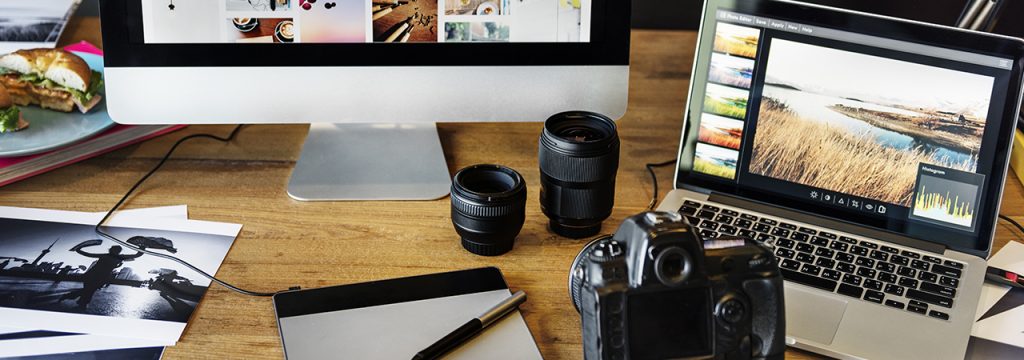
Desk covered with photo editing gear including a desktop monitor, laptop, DSLR camera, two lenses and printed photo proofs

Like most of the planet, we love to take photos of memories. But when we come to print them, its not as vivid as we remember or it’s too zoomed out. Not to fret, we have you covered! In this blog, our own Graphic Designer is here to help you get the most out of those snaps!

1. Choosing the right photo

Close-up of a hand editing photos on a smartphone at night with colourful bokeh lights blurred in the background

We all love to get a bit snap happy when we’re on holiday, at a party or even on a Sunday stroll! The most important part is sifting through those photos to find the one we want to work on. We need to make sure of a few things, to know we have the perfect photo!

1. Is the photo clear? Blurry photos are hard to edit and don’t look good.

2. Is the subject the focus? It could be a loved one or a pretty flower, you’ve got to make sure there is nothing in the way or to distract the viewer from what you want them to focus on.

3. Do you like the photo? At the end of the day you have to like your own work! So choose one that makes you smile!

2. Cropping
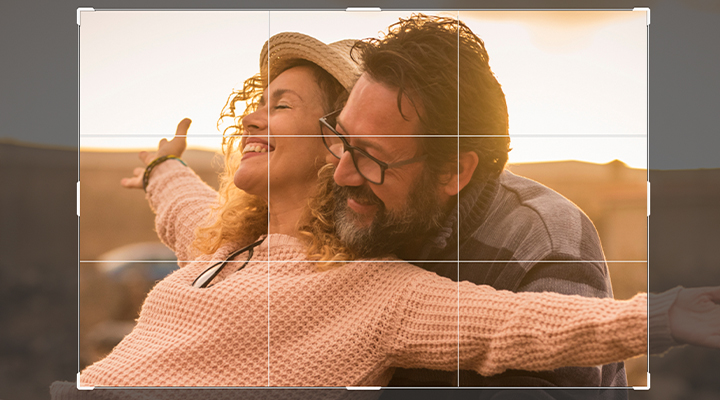
Photo editing crop tool overlaying a rule-of-thirds grid on a couple smiling with arms outstretched at sunset

The best tip I’ve ever learnt when it comes to photography is take the photo then crop later. This is because when you go to frame or place the image on something, you might need that extra space around it. It’s easier to remove than it is to add, it takes years of practice to get it looking right, so make life easier for yourself and save the cropping for the editing stage!

Usually cropping is used to make the image the right size for the final product, it can also be used to centre an image or remove any unwanted distractions to the side. It can also help draw focus and emotion to a certain part of a photo, consider this when you are cropping, what are you trying to say?

3. Colour Correction

Colourful neon-lit street scene with hotel signs and cars driving past illuminated art deco buildings at dusk

Phones having cameras attached to them is possibly the best thing to happen since sliced bread, however, they can’t always capture the beautiful, rich colours that nature and life has to offer! This is where photo editing software comes in to help!

With free editing software such as Pixlr or Canva you can easily fix photos to bring that colour back to it! Usually there is a button that does it automatically, but it’s not always 100% right. This is where you get to have fun and make mistakes, just play with the sliders and percentages until your image pops!

4. Presentation
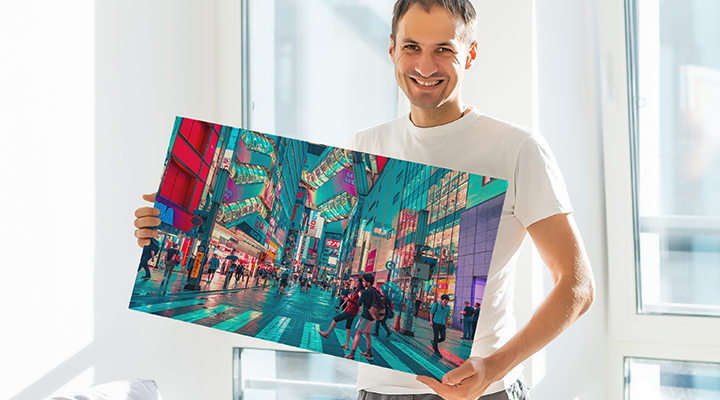
Smiling man holding up a large printed canvas photo of a vibrant illuminated city street

The final stage is getting it ready for however you want to show off your beautiful photo. If it’s for social media or to be printed on a high quality canvas, you want to make sure it’s the right size, that can make the difference between a low quality, pixelated image or a high quality museum ready print, be sure to check the requirements of where you’re presenting the image and that it will produce the best outcome.
Flat lay of a laptop, vintage camera, leather camera case, small potted succulent and wrapped gift on a white desk

Related Posts

  • How to Turn Your Space into a Sanctuary? Five Personalised Home Gifts
  • How to Choose the Perfect Photo Blanket Fabric?
  • How to Get Ready for Black Friday?
  • The Ultimate Canvas Prints Size Guide for Your Home 

Filed Under: How To & Tips Tagged With: Photography, Tips

About Lena Ross

Lena Ross is part of the editorial team behind the Printerpix blog. We write about personalised photo gifts, covering photo books, canvas prints, custom blankets, personalised calendars and gifts for every occasion. Our content is produced by writers who work closely with Printerpix product and design teams, drawing on real knowledge of how these products are made. We focus on practical advice: gift ideas that work, honest buying guides and how-to tips that link directly to the products we make and stand behind. Printerpix delivers personalised photo gifts to customers around the world.

Primary Sidebar

Recent Posts

  • Personalised Teacher Mug Ideas: Heartfelt Ways to Say Thank You
  • 5 Heartwarming Living Room Wall Art Ideas Your Family Will Adore
  • Printerpix vs Photobox 2026: The Professional ‘Craft Lab’ vs The “Machine”
  • Printerpix 2026 Manifesto: New Quality Standards & Human Support
  • How to Turn Your Space into a Sanctuary? Five Personalised Home Gifts

Recent Comments

No comments to show.

Categories

  • Back to School
  • Beginner Guides
  • Black Friday
  • Canvas Prints
  • christmas Gifts
  • Father's Day
  • Gift Guides
  • Gifting Ideas
  • Gifts for Dad
  • Gifts for Mum
  • Gifts Under Budget
  • Home Decor
  • How To & Tips
  • Inspiration
  • Miscellaneous
  • Mobile Photography
  • Mother's Day
  • Need to Know
  • New Launch
  • Occasions
  • Personalised Essentials
  • Photo Blankets
  • Photo book titles
  • Photo books
  • Photography Tips
  • Product Announcements
  • Product Guide
  • Technical Standards
  • Top Things to-do
  • Valentine's

© 2026 · Printerpix